
5-Star Anim Lab icon

5-Star Films Tools

5-Star Anim Lab

A standalone Windows app for GTA V modders, FiveM creators and machinima animators who want a faster way to build game-ready character animations. Import, pose, keyframe, edit and export in the native .ycd format.

  • 4.8 out of 5
  • $5
  • Windows
  • Standalone app

The power of a 3D animation editor without being forced into a full 3D suite.

Platform
Windows
Price
$5
Rating
4.8 from 5 ratings
Exports
Game-ready .ycd

A GTA animation workflow, end to end

Everything from dropping in a .ycd to exporting one the game will load, in a tool built for that job rather than adapted to it.

  • 01 Import fast

    Built-in .ycd and .xml support plus drag-and-drop, so GTA animations come in without a conversion step.

  • 02 Preview in real time

    Bundled GTA-skeleton MP Male and MP Female characters let you watch the animation as it really plays.

  • 03 Start from a preset

    Included idle, walk, run and sprint animations give you something to work from straight away.

  • 04 Pose like Blender, without Blender

    Click-select bones, G to move, R to rotate, axis locks, I to keyframe.

  • 05 FK and IK

    Animate either way, with pole targets, hand and foot pinning, plus root and pelvis control.

  • 06 Edit keyframes smoothly

    Auto-key, copy, cut, paste, box-select, undo and redo.

  • 07 Switch IK and FK cleanly

    Bake the motion across the switch so the animation is preserved.

  • 08 Timeline, curves and audio

    A timeline editor, a graph and curve editor, and an audio timeline for syncing to sound.

  • 09 Light it cinematically

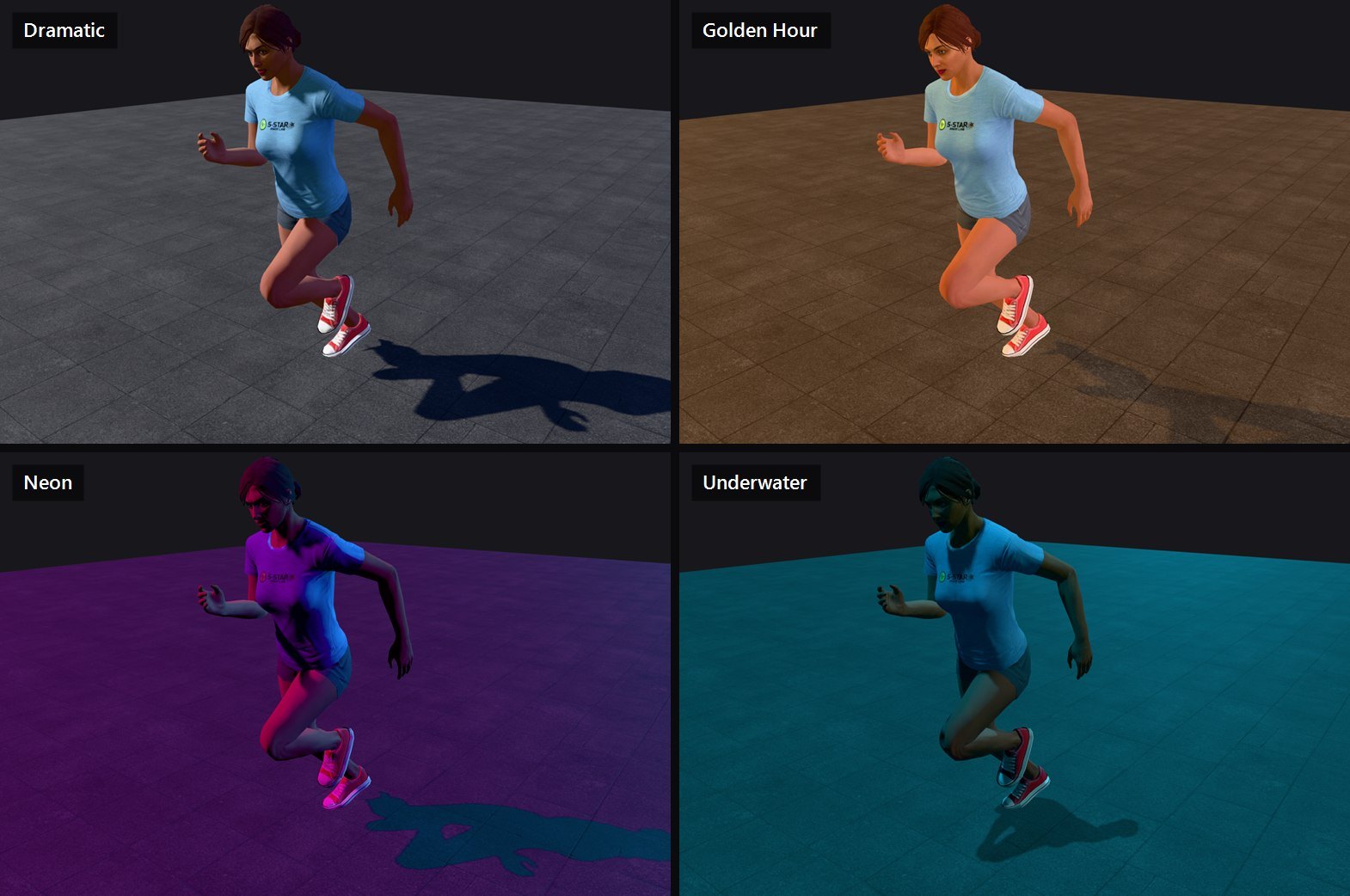
    15 lighting presets including Studio, Daylight, Golden Hour, Night and Neon.

  • 10 Customize the rig

    Finger pose presets and rig customization tools for the details that sell a shot.

  • 11 Retarget mocap

    Drop in a Mixamo or ActorCore FBX and retarget it onto the GTA skeleton, rest pose and bone mapping detected for you.

  • 12 Stage a whole scene

    Up to seven rigs at once, any of them swappable to a Sync Dummy, each placed and rotated independently.

  • 13 Export straight to GTA V

    Game-ready .ycd output, no round trip through another program.

  • 14 Stay organized

    Autosave, recent projects, and double-click to open a project file.

Inside the app

Eight screens from real sessions: previewing a preset, posing with IK, staging a scene with sync dummies, retargeting mocap, shaping curves, syncing audio, lighting the shot and exporting the dictionary.
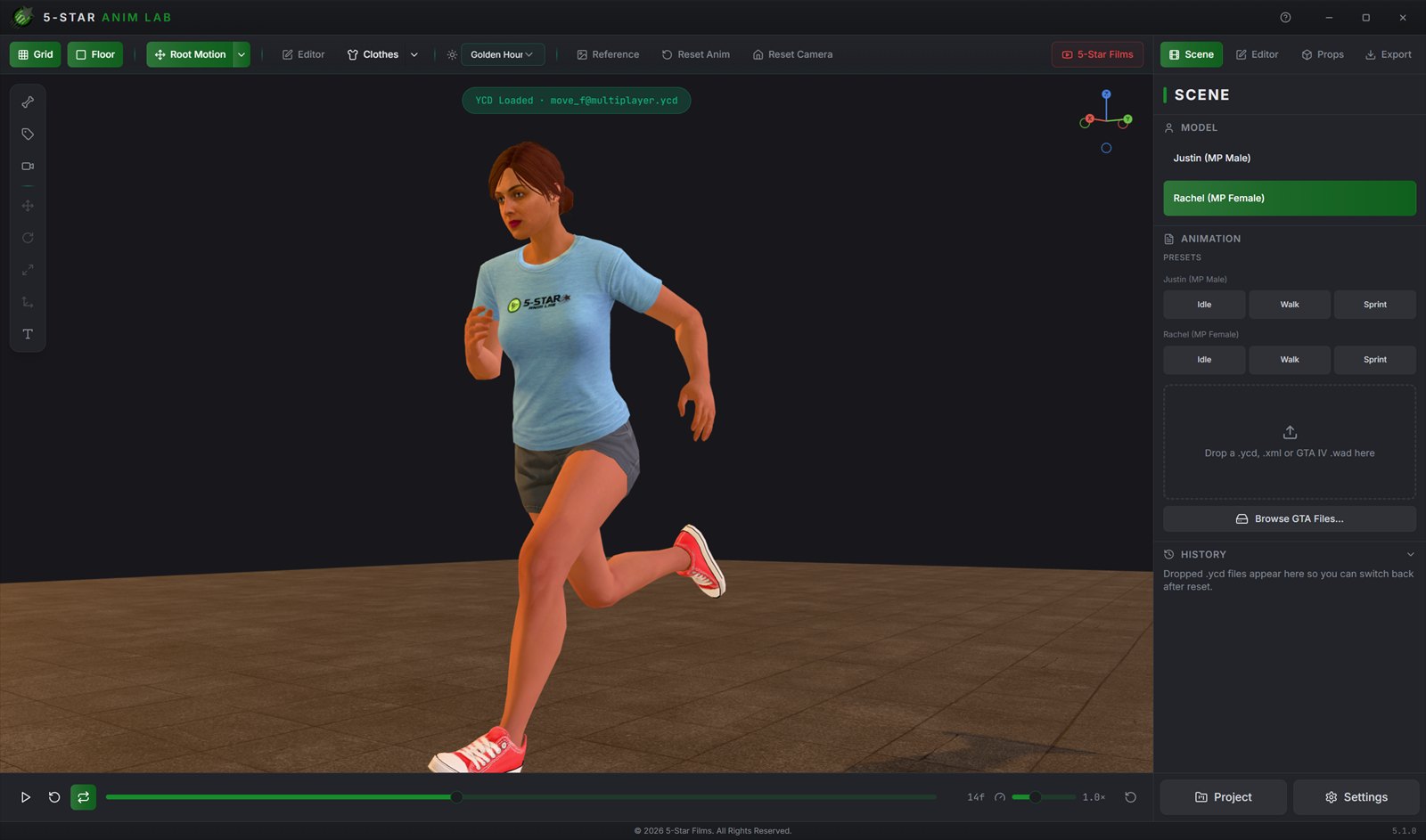
Rachel, the bundled MP Female character, caught mid-sprint in the Anim Lab viewport under warm low light, with the Scene panel on the right listing both characters and their idle, walk and sprint presets.
Scene. Pick a bundled GTA-skeleton character, start from an idle, walk or sprint preset, or drop in a .ycd, .xml or GTA IV .wad and preview it straight away.
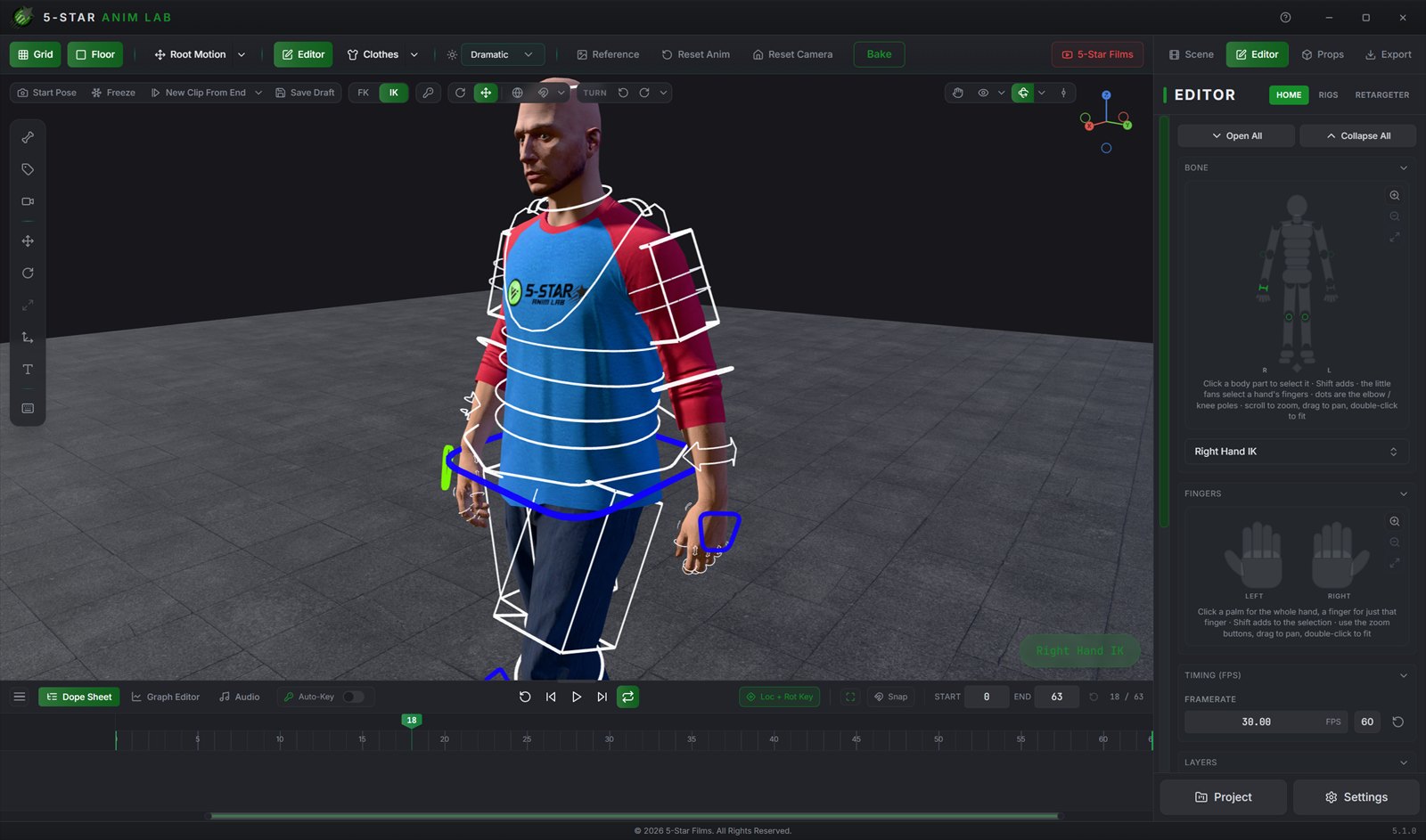
A close three-quarter view of Justin in edit mode under hard key light, rig control shapes drawn over the body, the Right Hand IK control selected and highlighted, and the Editor panel showing the body map and finger controls.
Edit mode. Click a control to select a bone, G to move, R to rotate, I to keyframe. The body map, finger controls, FK and IK mode and the framerate all sit in the Editor panel.
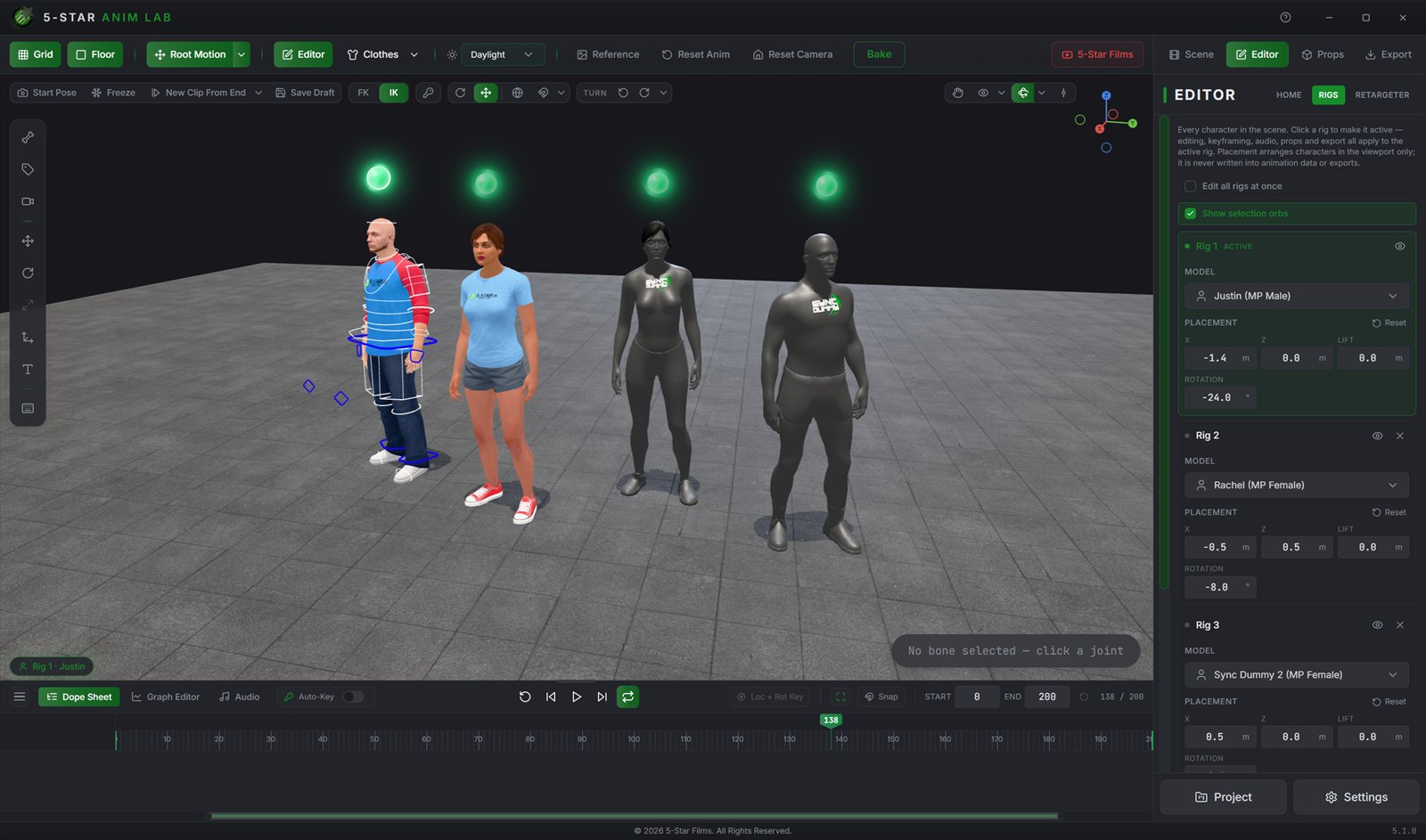
Four characters staged side by side in daylight - Justin, Rachel and two Sync Dummies - each with a green selection orb above it, and the Rigs panel listing every rig with its own model and placement fields.
Rigs and sync dummies. Add up to seven characters to a scene, swap any of them to a Sync Dummy, place them with X, Z, lift and rotation, and edit one rig or all of them at once.
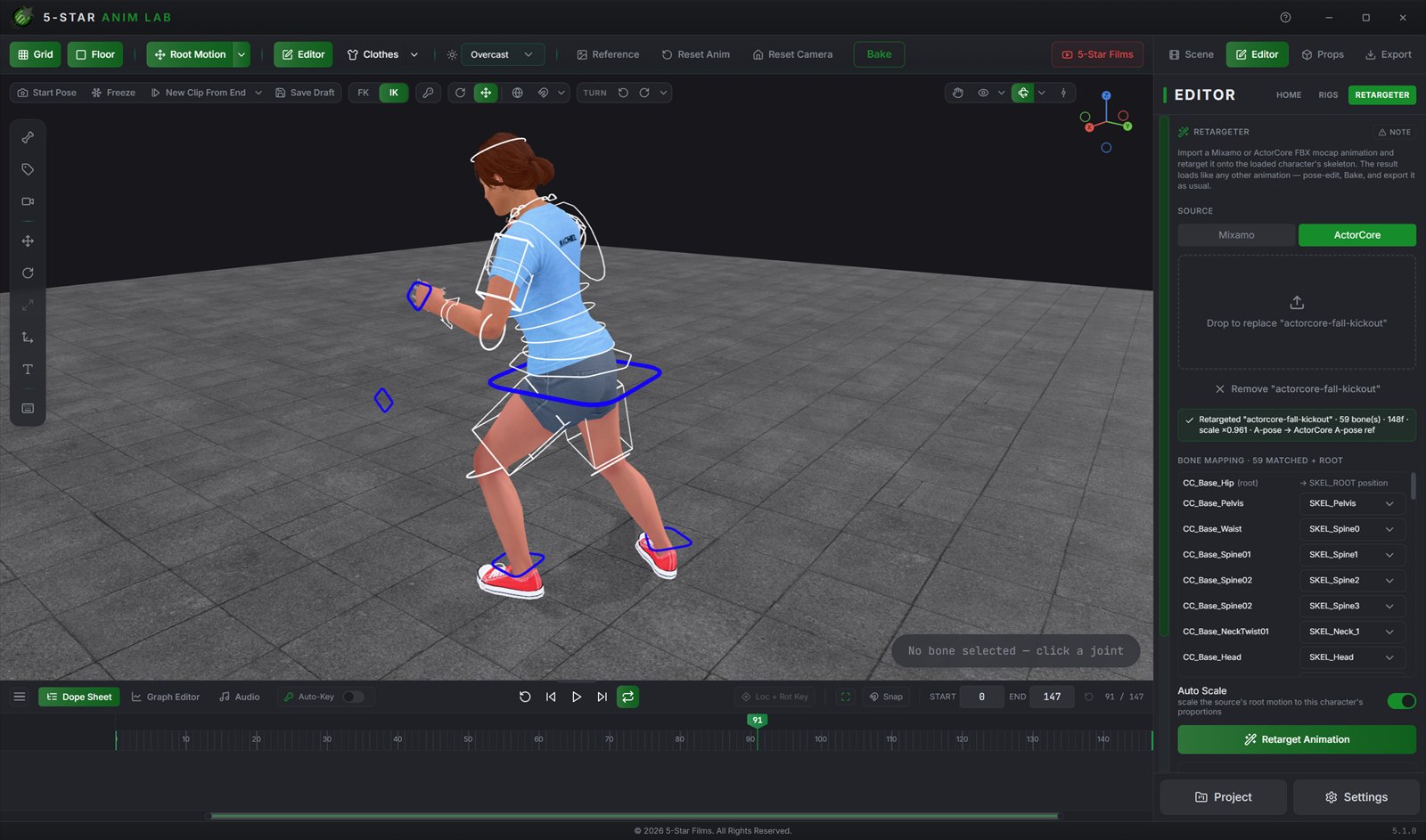
Rachel holding a pose from a retargeted ActorCore mocap clip, beside the Retargeter panel with Mixamo and ActorCore source buttons, a result line reading 59 bones, 148 frames, scale times 0.961, A-pose to ActorCore A-pose reference, and the bone mapping list below it.
Retargeter. Drop in a Mixamo or ActorCore FBX and it detects the rig, the rest pose and the bone mapping. Retarget it onto the GTA skeleton and the result edits, bakes and exports like any other clip.
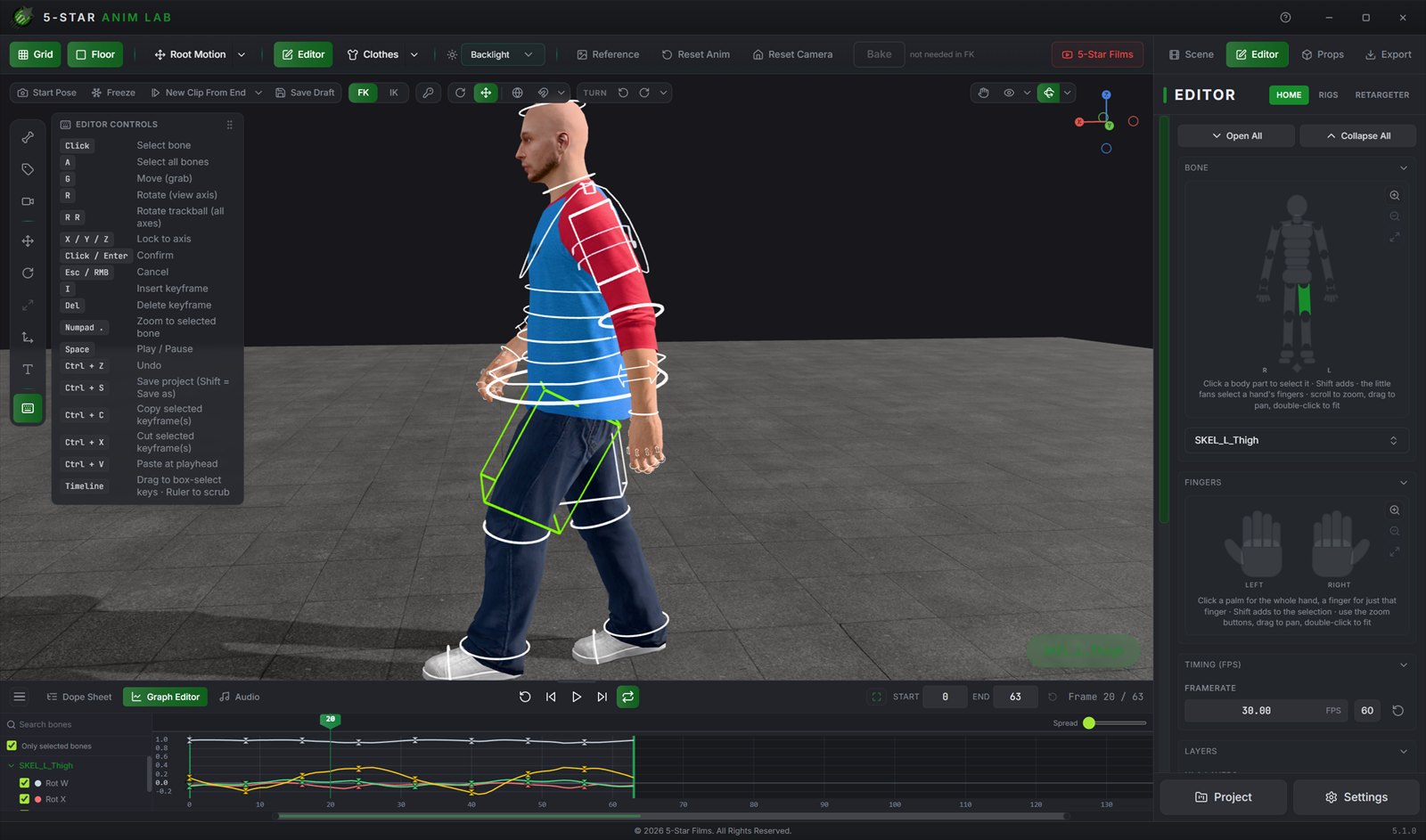
A side-on, backlit view of Justin with the selected left thigh control highlighted, and the graph editor docked below showing rotation F-curves with keyframes along each curve.
Graph editor. Every channel as a curve. Drag points to change value and time, reshape the bezier handles, and use Spread to pull overlapping curves apart on screen without changing a value.
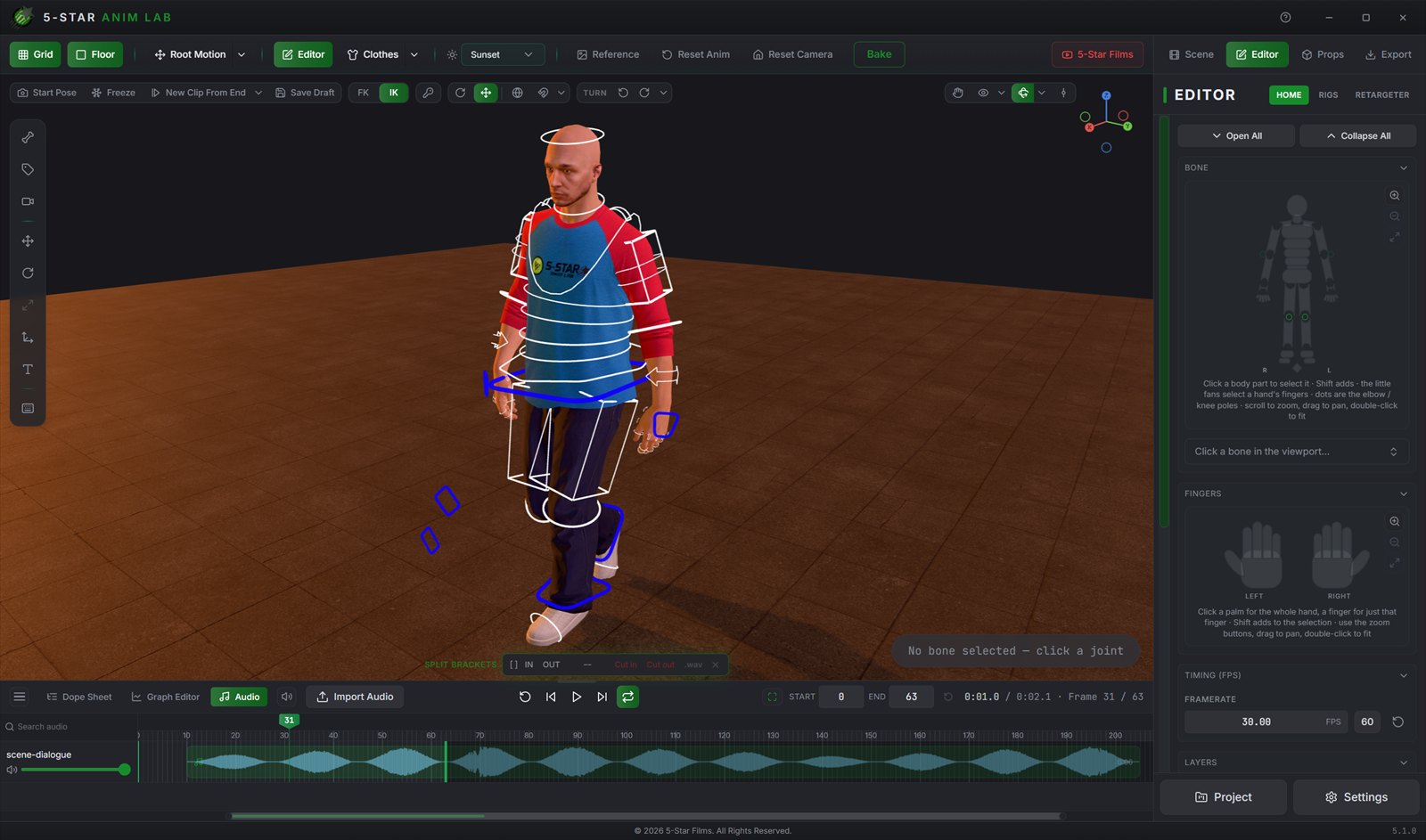
Justin mid-stride under warm sunset light, with the audio timeline docked below the viewport showing an imported waveform named scene-dialogue, an Import Audio button, a volume slider and in and out trim controls.
Audio timeline. Import a track, drag it to the frame it should hit, trim its in and out points, and animate against the waveform instead of counting frames.
One sprint pose rendered four times under different lighting presets: Dramatic, Golden Hour, Neon and Underwater.
Lighting. Four of the 15 presets on the same pose: Dramatic, Golden Hour, Neon and Underwater. Switching is one dropdown and the viewport re-lights immediately.
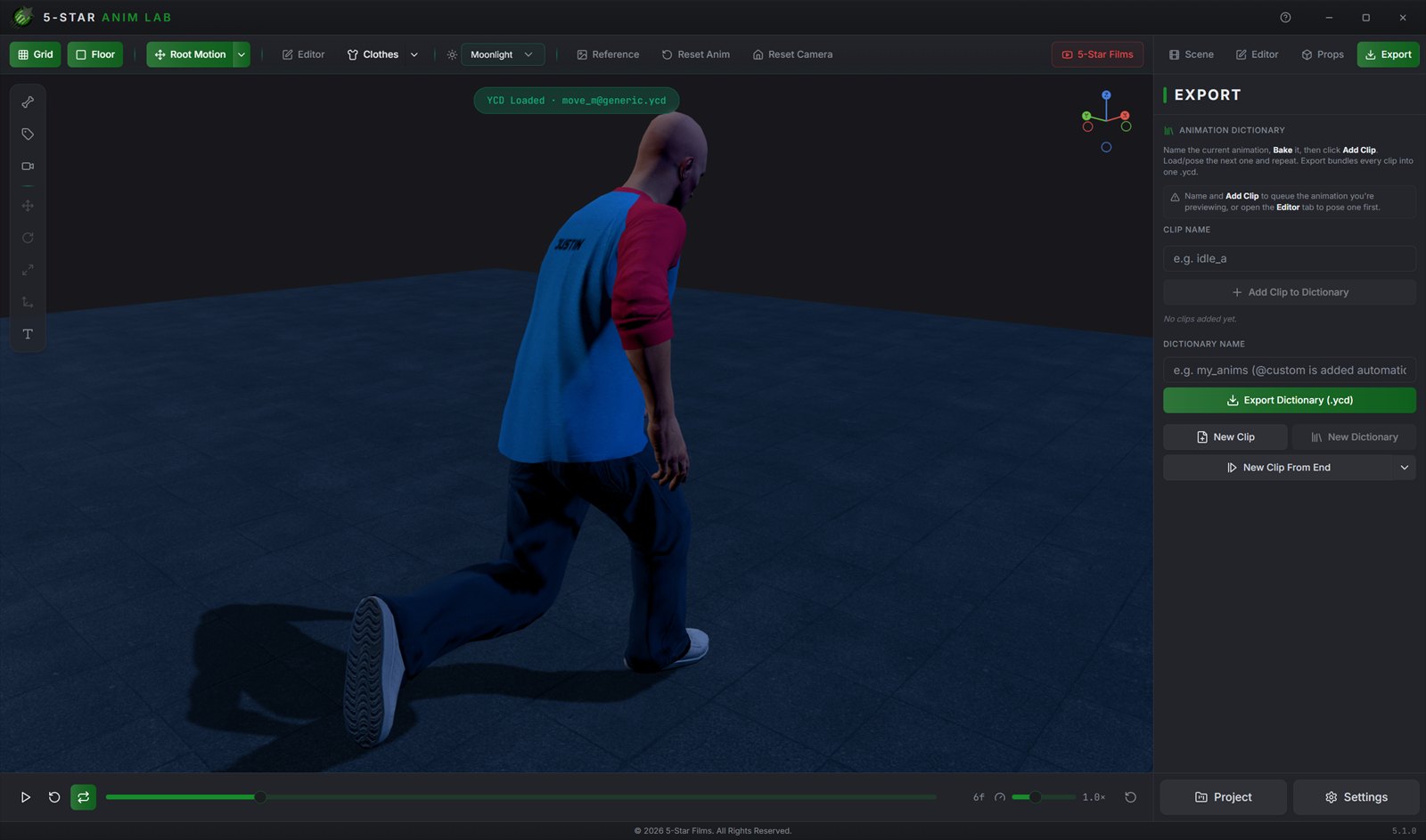
A moonlit view from behind Justin mid-stride, with the Export panel open: a clip name field, Add Clip to Dictionary, a dictionary name field and an Export Dictionary (.ycd) button.
Export. Name a clip, add it to the dictionary, repeat for as many animations as you need, then export the whole thing as one game-ready .ycd.

What people say

4.8 From 5 ratings on Gumroad: 80% five-star, 20% four-star.
"One of the best tools ever made. Simplifies viewing/editing and creating custom animations for GTA tremendously!"
Anonymous Gumroad review
"It's the most complete, simple and intuitive tool i have ever seen, the 5 Star Anim Lab makes animating for Movies in GTA V 1000x easier and fun to work on, just on my first 10 minutes of using, i was able to import a FULL animation to GTA. This tool beats Blender, Sollumz and various other programs, because you dont need to convert a Prop or Ped to XML to import into the Anim Lab, you just drag and drop it!"
Anonymous Gumroad review
"best mod ever"
Anonymous Gumroad review
"Awesome tool!"
Anonymous Gumroad review

Animate like there is no tomorrow

5-Star Anim Lab is $5 on Gumroad. The download, the presets and any updates all come from there.

Download on Gumroad
All tools